Skip to content
WikilyWIKILY
All games23 Wikis · pick your game
WikiBuilding Templates

Switch game

23 Wikis · pick your game
Browse Templates

Turret TowersPvP

Turret Tower

ItsA_EnvyMetal WorkerUploaded Aug 18, 2025
  • 2,080Structures
  • 2Buildings
  • 1,041Downloads
  • 7Likes
Template ID818Console Guide
Likes: 7

Description

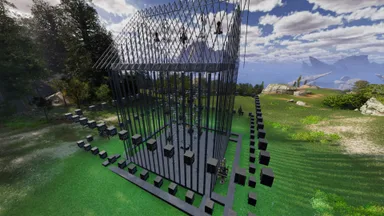
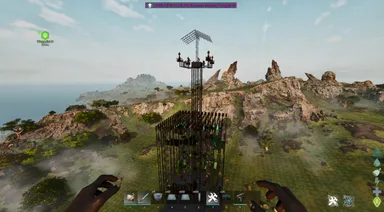
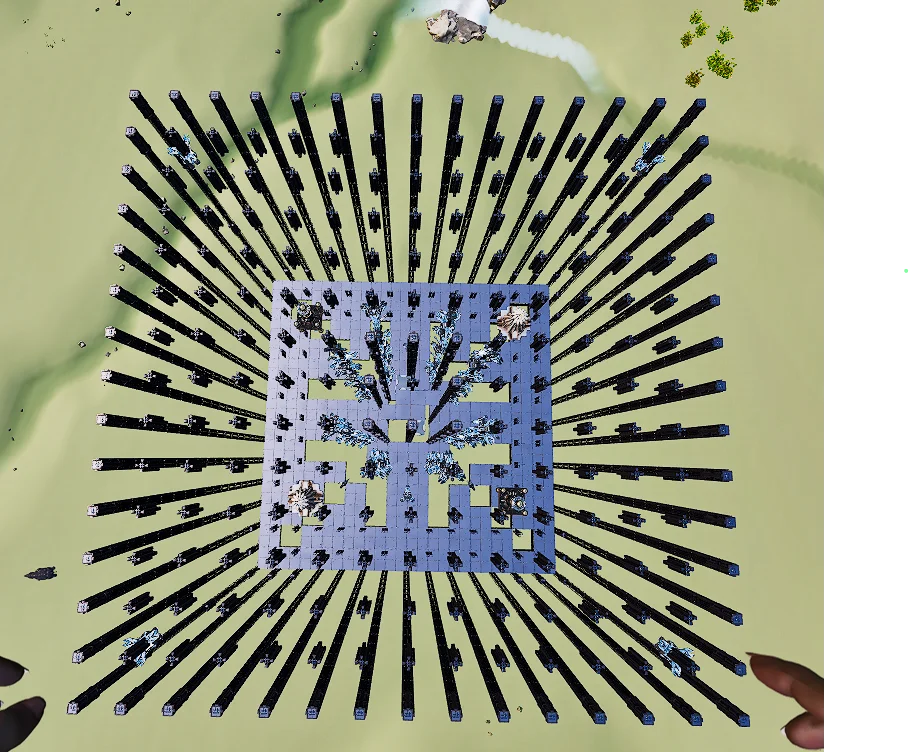
Basic Turret Tower without Anti Stego roof Mostly auto buildable only part of the internal anti-Racer will need to be manually built. (Its like 20 door frames). The second template are the turrets you place the foundi in the center part of the tower. It will line up

How to Get on Console

Full console guide

Console players (PlayStation, Xbox) can download and place this template directly in-game using the Template Hammer Importer mod.

  1. 1Install the ModOpen the in-game mod browser and search "Wikily" or "Template Hammer Importer".
  2. 2Craft the ImporterGo into Singleplayer + Creative Mode and craft the Wikily Template Importer (1 Fiber).
  3. 3Enter Template IDUse the item, enter Template ID 818 and the building index, then place it.

Buildings2 files

  • 1

    ST 9.0 M

    1,979 structures

    Created by: Envy

    Template ID: 818 · Building: 0

  • 2

    ST Turrets

    101 structures

    Created by: Envy

    Template ID: 818 · Building: 1

    More from ItsA_Envy

    Utility948

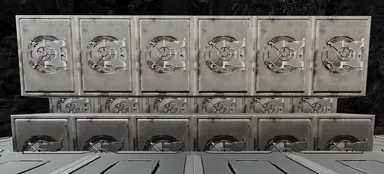
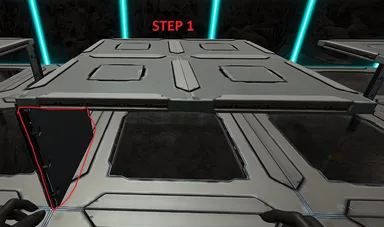
    Compact Triple Stack Vault

    Follow the pictures attached. Step 1: - Setup you floor for the vaults. it needs to be 1 Quarter wall lower than walking floor level - Place Quarter ceiling in the back or the hole you left for the vaults to fall into Step 2: - Place and build '1st and 2nd Layer' template and break thatch wall Step 3: - Place '3rd row Final Final' template and break thatch wall Note: You can not place all three layers at the same time. the 3rd row will fall into the first row and you ill have to pick them back up Note: Both templates ate fully auto buildable provided it is not obstructed I added a normal 1 layer template in as well.

    • 48 Structures
    • 3 Buildings
    • 8 Likes
    • VanillaPvP
    Utility808

    No Stuck - 7x7 Cryo Floor With Snap

    Follow the Pictures attached. Step 1: - Build the foundation where your cryos are going to be on. - This could be either Foundation, Ceiling, Vacuums - Make sure there is a wall in the bottom left corner so that the template can snap to it (Otherwise it wont line up) Step 2: - Snap the template and Autobuild. (It will finish building on its own unless its obstructed) Step 3: - Finish the build of by placing ceilings around the cryos to make it flush with floor

    • 65 Structures
    • 6 Likes
    • Vanilla

    Similar templatesMore builds in this category

    View all
    Turret Towers3.4k

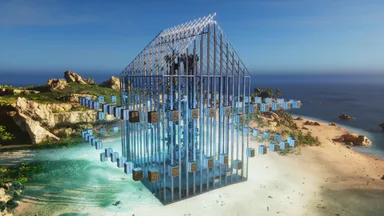
    UNDER WATER META BOTTOM

    overpowerd underwater floating tower. design origianly made by kak but i have edited some of it. be sure to build vaccume chambers to the desired hight and location then snap tower bottom. once the first vaccum snaps when auto building then delete the other chambers going to ground.

    • 1.7k Structures
    • 2 Buildings
    • 32 Likes
    • VanillaPvP
    P1AGUETVVerified creatorTribe ChiefOct 21, 2025
    Turret Towers2.6k

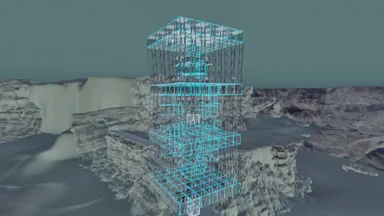
    kak new meta tower complete and made the right way

    im not the original builder but i did some tweaks to it and some build corrections. i think the og was a guy of kak. when built it will abort half way because you will have to foundation out and when the tower is built the walls will have to be brought down . if you want it to be hard for racer rushing then go from ground with double doorways 5-7 high all the way around with a dino gate box

    • 1.5k Structures
    • 2 Buildings
    • 25 Likes
    • VanillaPvP
    P1AGUETVVerified creatorTribe ChiefSep 16, 2025
    Loading discussion...
    Join the creator communityThe people who build the ARK: Survival Ascended wiki are on our Discord. Ask questions or suggest pages.Join Discord (opens Discord in a new tab)